Click
Click  to save the item.
|
Saving a Catalogue Item |
Previous Top Next |
Overview
Click to save the item.
If any of the field contain data which is not acceptable then the item will not be saved. Instead, the field(s) containing the invalid data will be highlighted in red like this:

This invalid data will have to be edited and replaced with valid data prior to the item being saved to the catalogue. Once these edits have been performed and has been clicked again, the item will be added to the catalogue.
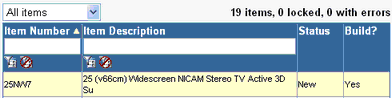
The count above the catalogue content table indicating the total number of items in the catalogue will be updated and the newly added item will be listed in the table with a Status of New, indicating that it has not yet been included within a catalogue build.