| ► | Click  to add a new message. to add a new message. |
|
Messages Admin |
Previous Top Next |
Overview
The Messages Admin option enables you to create Messages that will be displayed on the Supplier Portal Home Page for all of your users.
Adding a New Message
| ► | Click to add a new message. |
Enter the following fields for the message:-
 Message Title. This is just for easy reference to the message in the list to the left.
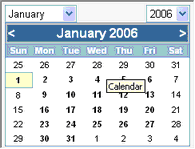
Start Date (click  to display a calendar to select the relevant date). The date and time to start displaying on the Home page.
End Date (click to display a calendar to select the relevant date). The date and time to stop displaying on the Home page.
Message Text. This is what will appear on the Home page.
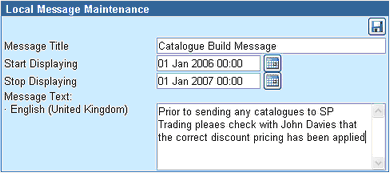
| ► | Click  to save the message details. to save the message details. |
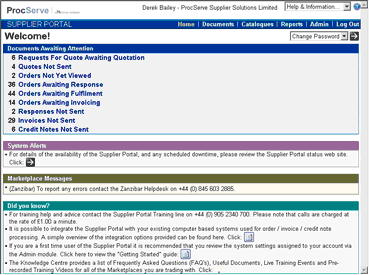
The message will be displayed in the 'Local Messages' section of the Home Page for all users like this:
Editing or Deleting a Message
All existing messages are displayed in a list on the left-hand side of the page.

| ► | Click on the Message Title to select it. |
When you have edited the message details:
| ► | Click to save |
OR
| ► | Click  to delete the message. to delete the message. |