 button to be available.
|
Editing Header Details |
Previous Top Next |
Note: You must be in "Edit" mode (see Editing a Fulfillment Notification) for the button to be available.
 Click in the header section (see highlighted icon):
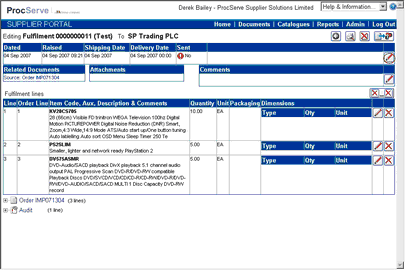
The page will be re-displayed as shown below:

You can then:
Click  to select a new Fulfillment Notification date
Click to select a new Fulfillment Notification Shipping Date
Click to select a new Fulfillment Notification Delivery Date
Once you have made your required changes you can:
Click  to save your changes or
Click  to undo (not save) your changes